Church Offering Entry
Replacing a church's $200-a-month offering software with one that runs for about $15, then redesigning how the counting team records each gift, based on interviews with them.
- Client
- A small bilingual church
- Role
- Designer and developer
- Scope
- Research, design, build, hosting
- Timeline
- About 2 weeks
- Status
- New entry in testing soon
- Year
- 2026
Summary
- Goal
- Let the counting team enter a whole service's offerings in one sitting, faster and with fewer mistakes, at a cost a small church can carry.
- Problem
- The old software cost $200 a month and had counters clicking through dropdowns for every gift. The office manager then typed every transaction again into QuickBooks.
- Role
- The church commissioned me to replace it. I designed the entry flow, built the software and set up the hosting.
- Result
- The new system runs for about $15 a month and sends offerings to QuickBooks, which removes about an hour of re-entry each week. The one-line entry is designed and prototyped, and testing with the counters starts soon.
The brief
After each service, a small counting team sits down with the envelopes, checks and cash and records every gift. Those records become the church's deposit and each member's annual giving statement, so a wrong name or a wrong fund matters well beyond Sunday.
The church wanted quicker entry with fewer mistakes, and a lower bill than the $200 a month it was paying.
The congregation is bilingual, with English and Chinese names in the same member list, and many givers split a single check across several funds.
What the counters said
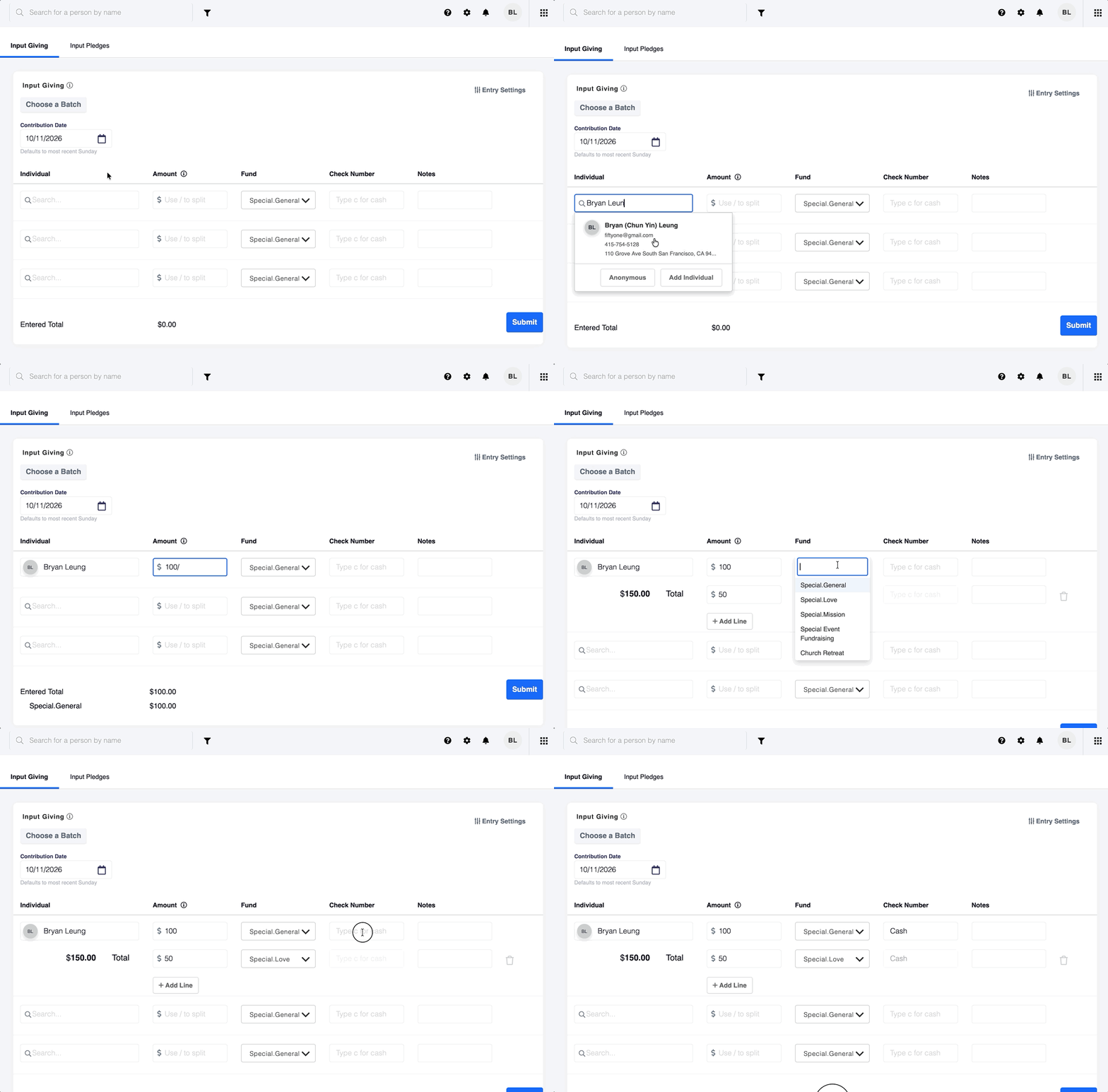
I interviewed four counters about how a Sunday goes in the old software. Two problems came up again and again.
- Too much clicking. Each gift meant opening several dropdowns, then moving from the mouse back to the keyboard to type an amount, and back again for the next gift. That switching was the part they found most annoying.
- Typing everything twice. After the counters finished, the office manager entered the same transactions again in QuickBooks, which took about an hour every week.
So the goal was narrow. Keep both hands on the keyboard for the whole gift, and show the counter what they are about to save.
Exploring the entry
The question was how a counter gets one gift in with the fewest decisions. I explored eight answers, four of them pictured below.
- Paste and parse. Paste a whole batch at once and fix only the lines it flags.
- Piles. Sort envelopes into piles by fund first, then enter only name and amount.
- Verify. Scans pre-fill each gift and the counter confirms or corrects it.
- Batch stream. A distilled version of the command bar with the batch building up underneath.
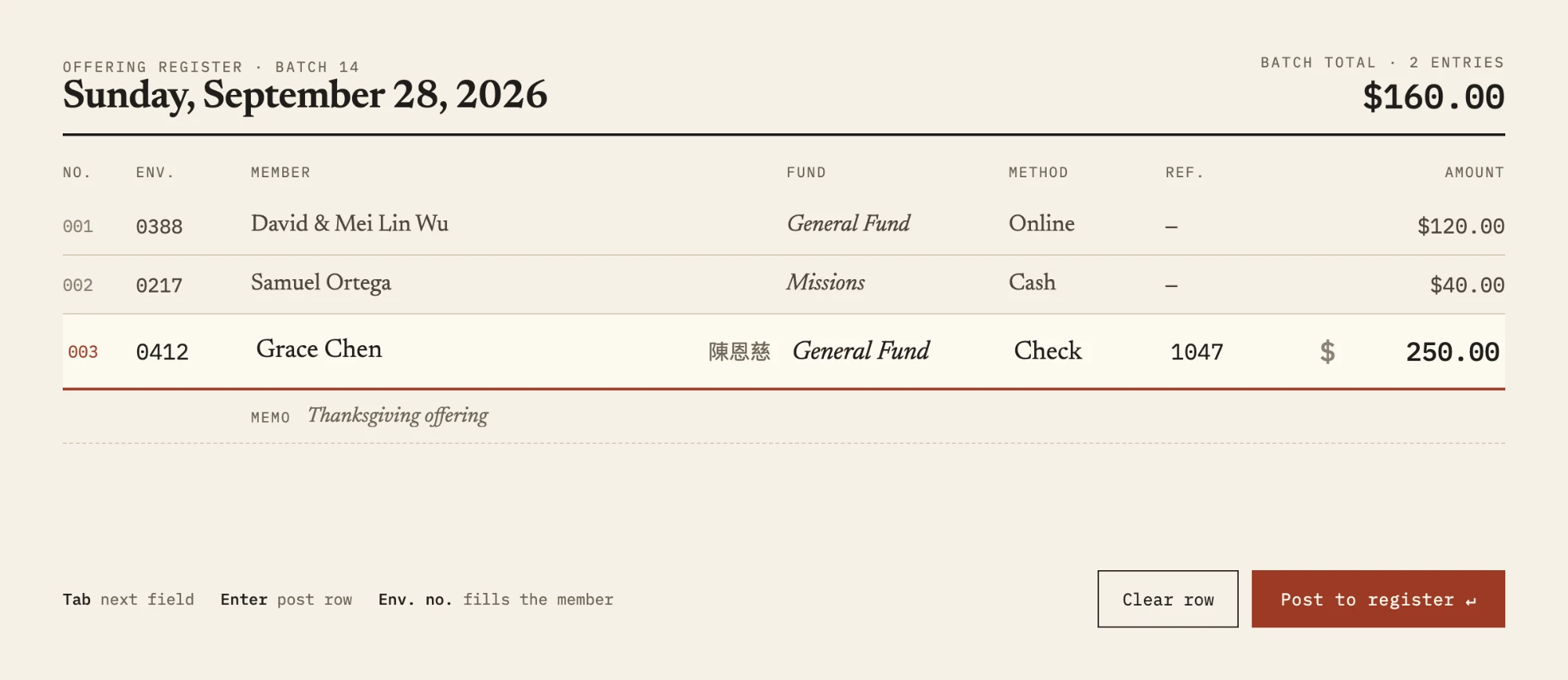
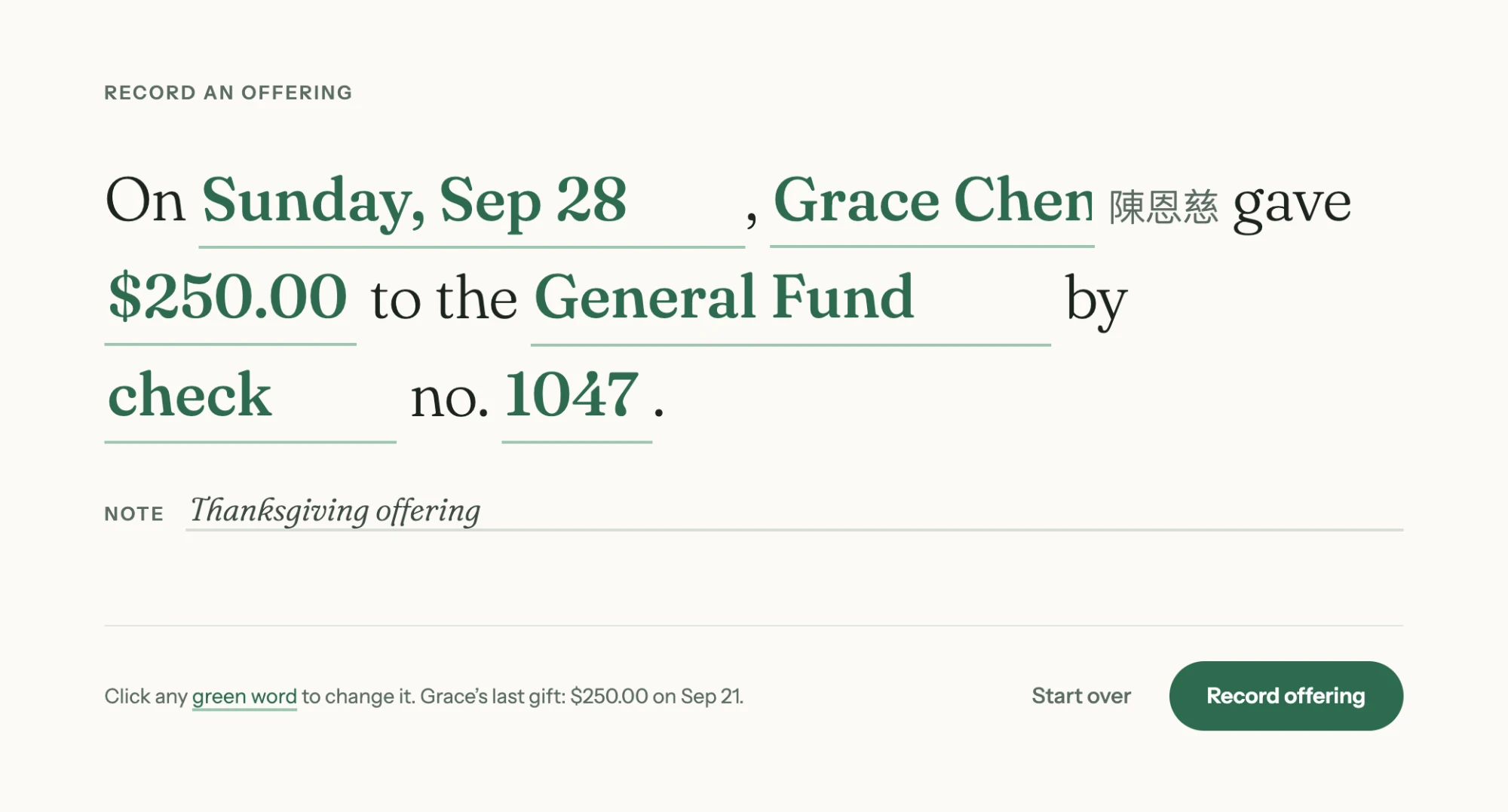
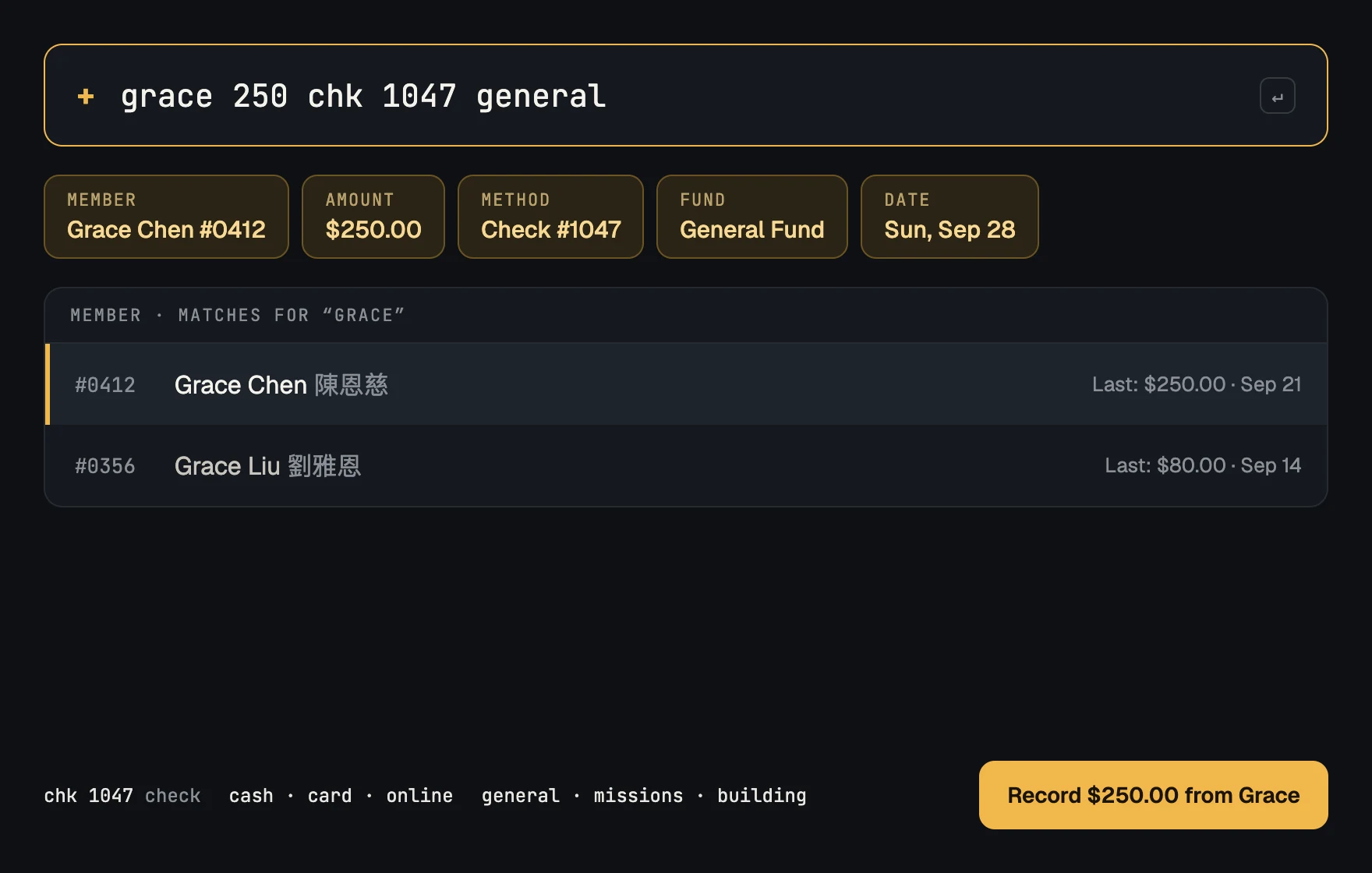
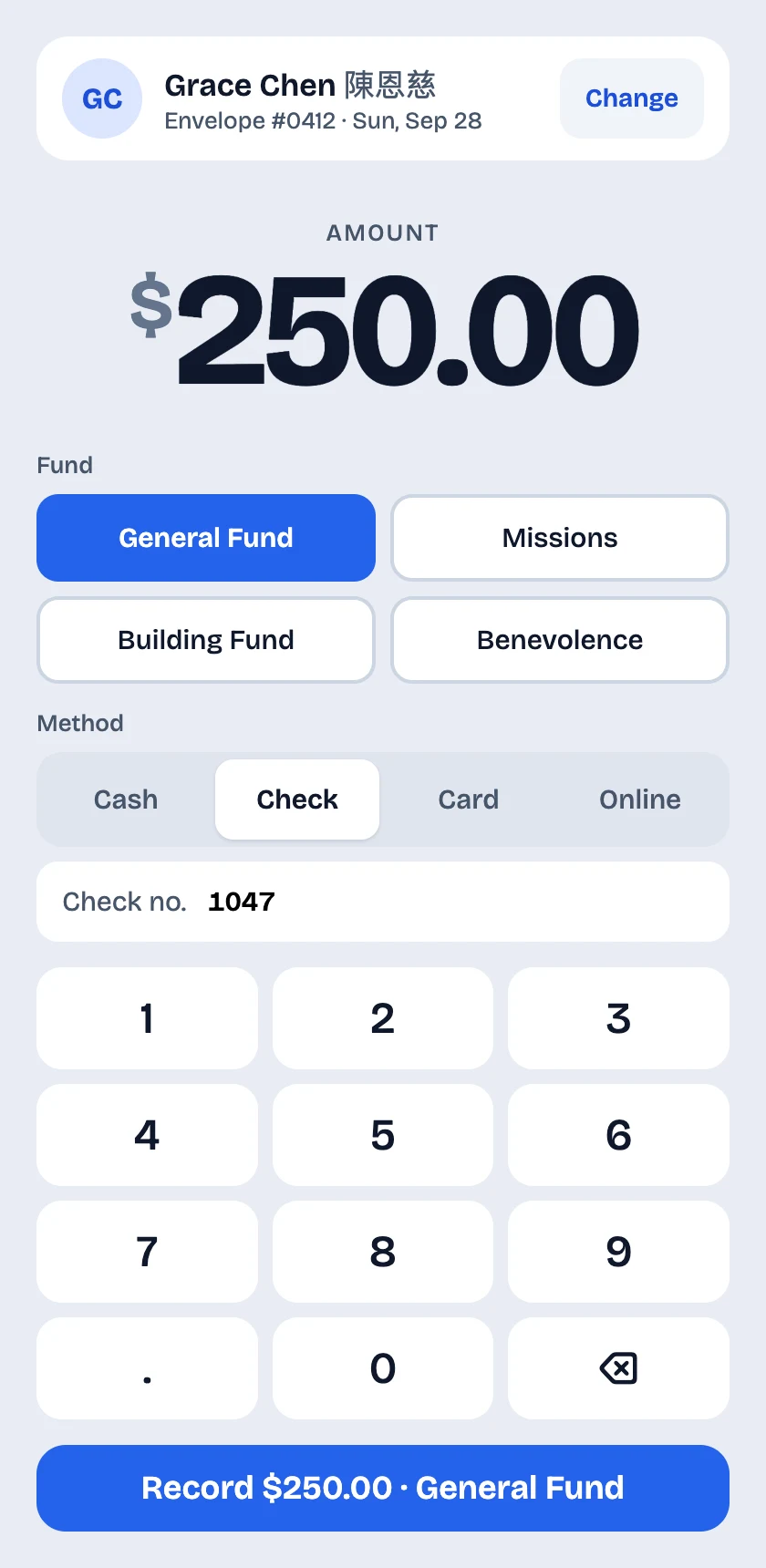
The command bar answered the counters' main complaint most directly, because a whole gift is typed without touching the mouse. The batch stream kept that and added what the command bar lacked, a running record of the batch to check against. That became the direction I took forward.
One line per gift
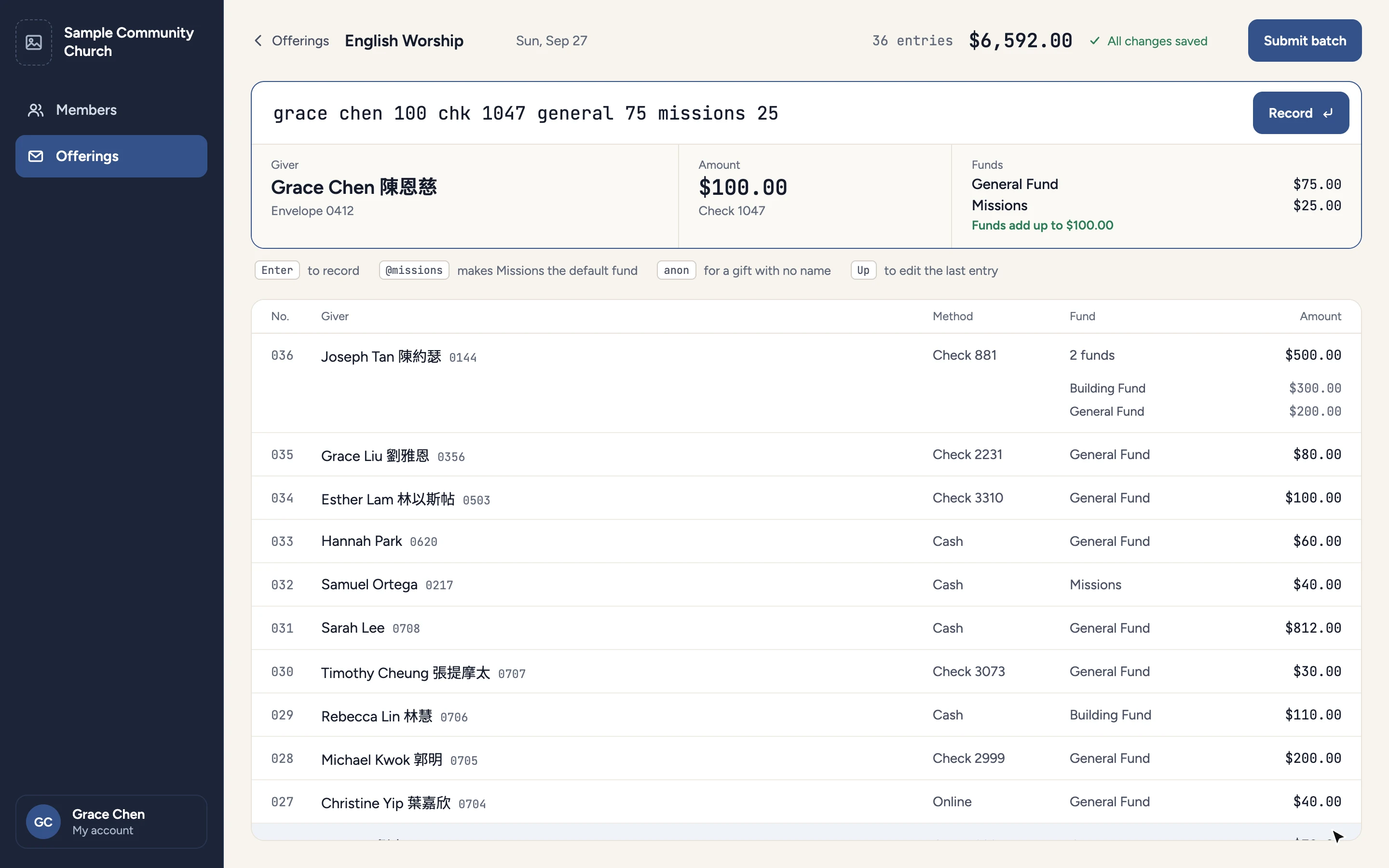
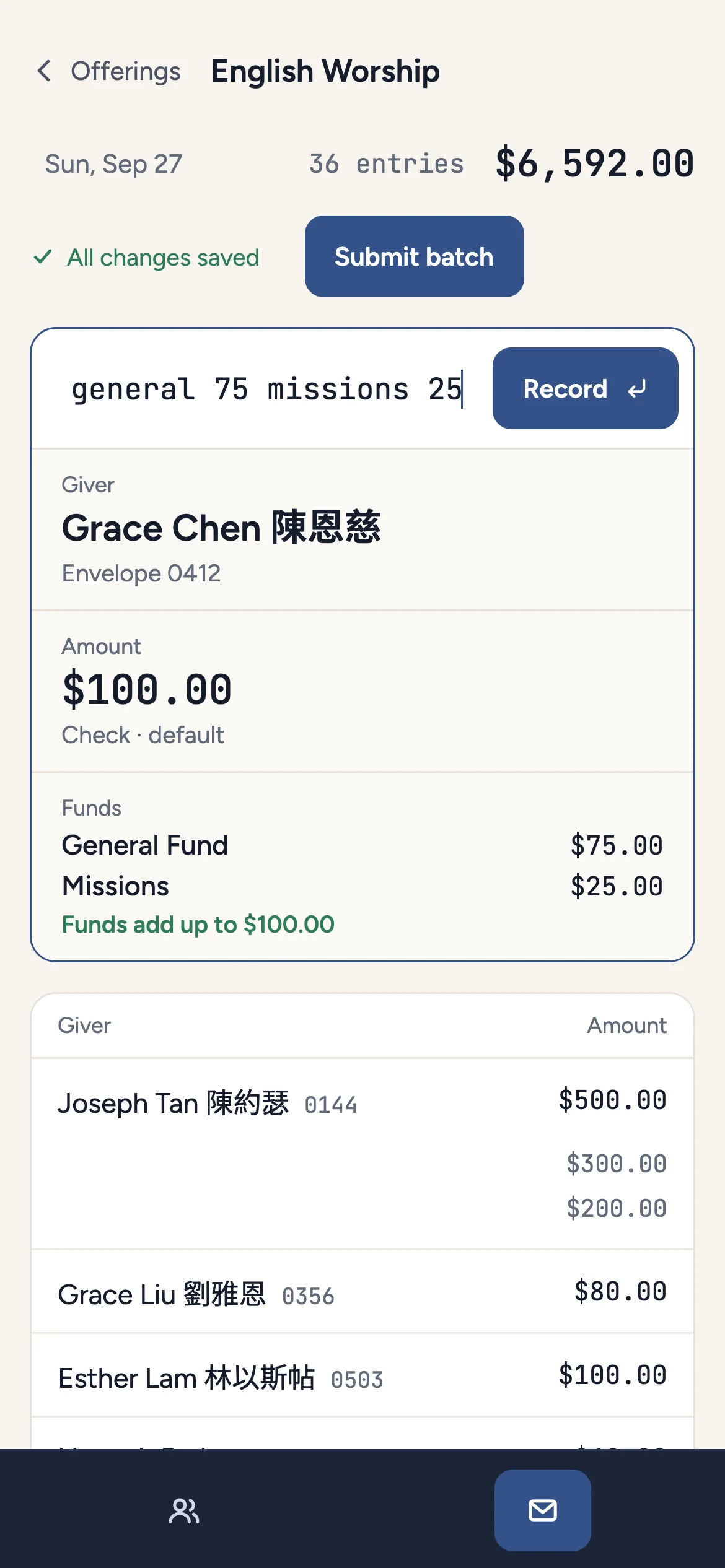
A counter types a gift the way they would say it, in any order. As they type, the panel underneath reads it back as giver, amount and funds, so a wrong match shows before anything is saved. Enter records it and clears the line.
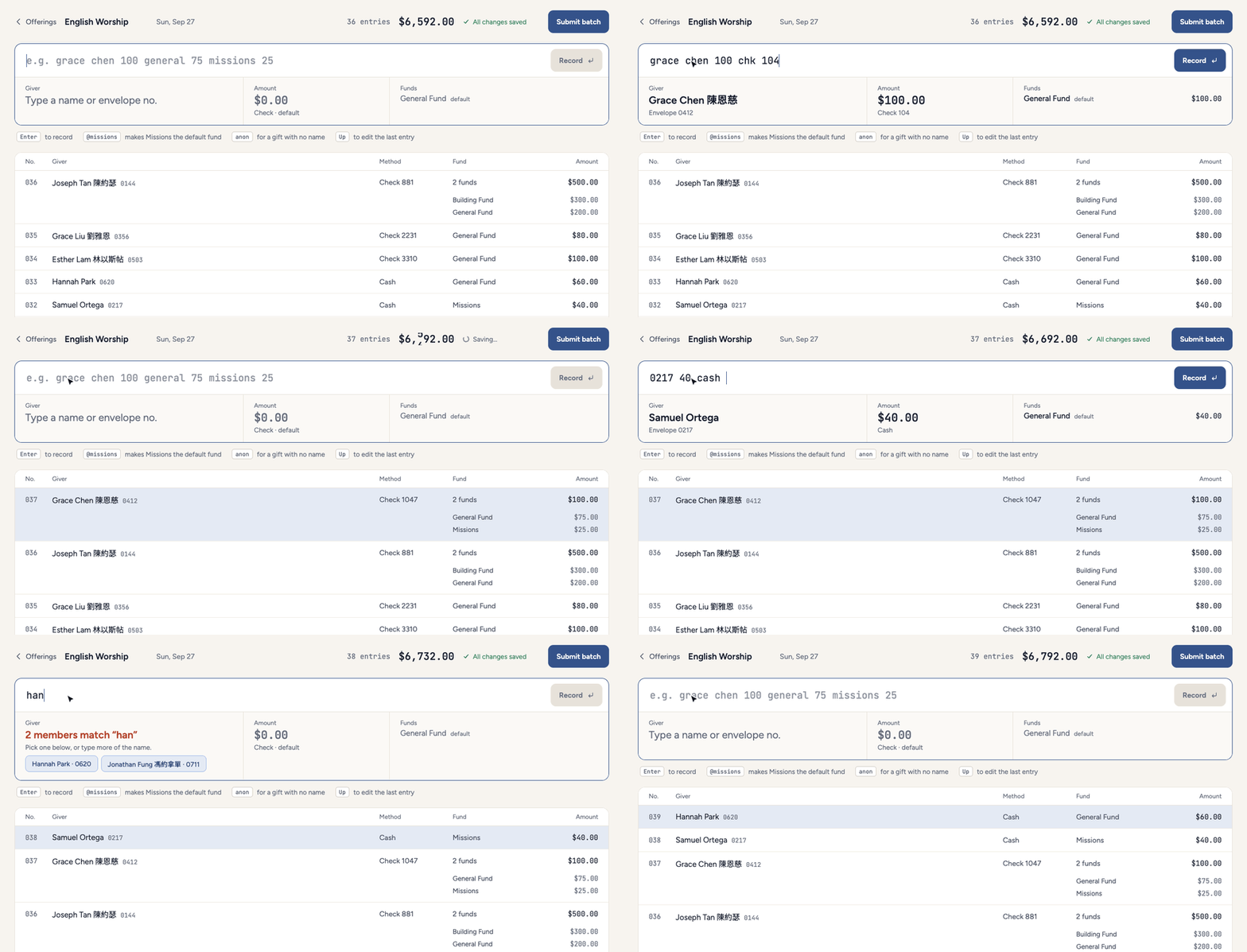
Anything left out falls back to a default. The method and fund carry over from the last gift, so a run of cash gifts to the General Fund needs only a name and an amount. Typing @missions changes the default fund for the rest of the batch.
Split gifts without arithmetic
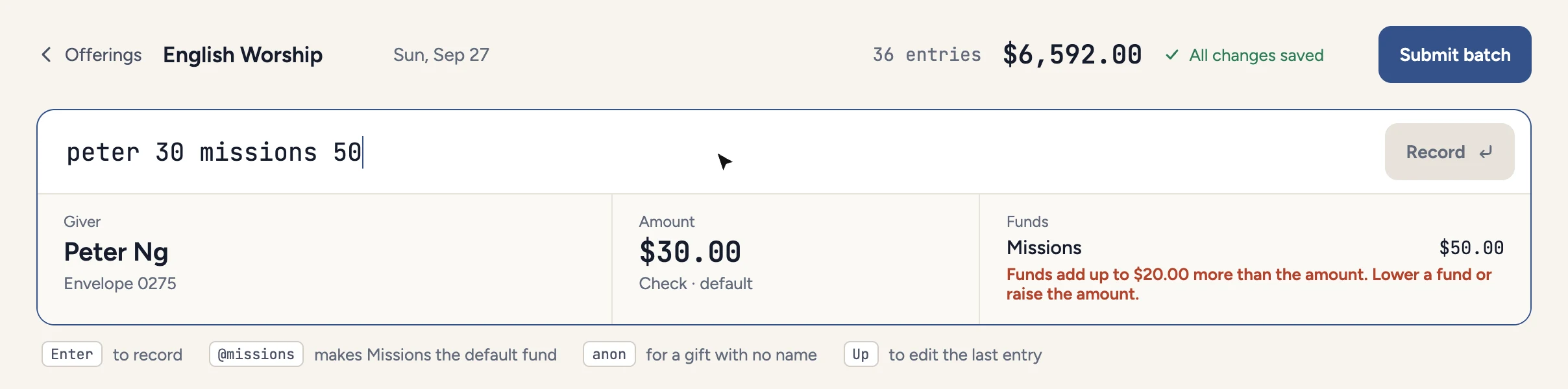
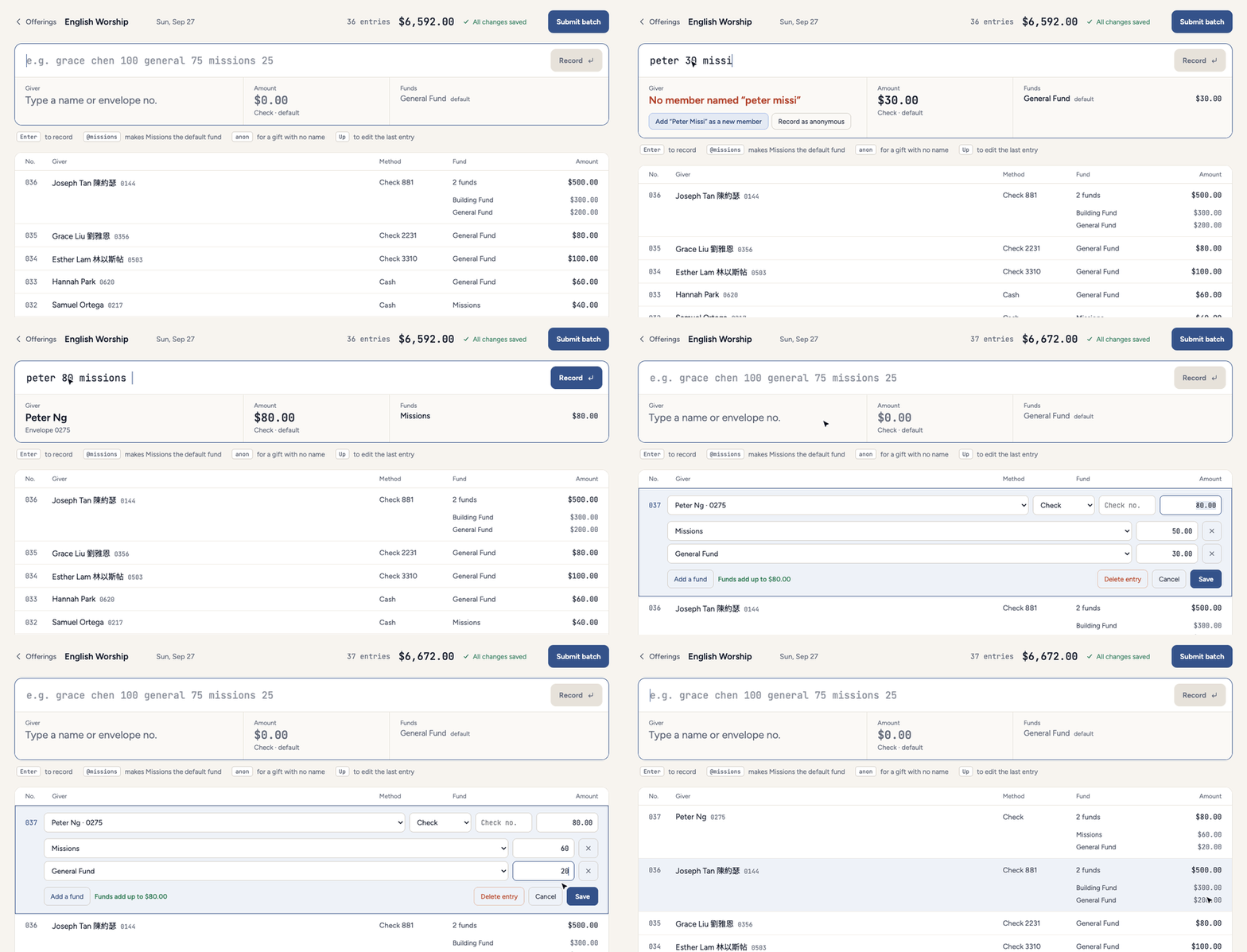
One check often covers several funds. Here the counter types the check amount and only the shares they know, and the rest goes to the default fund as the remainder.
If the shares come to more than the check, the line won't record, and the readback says by how much.
When a name doesn't match
Names cause trouble. Two members can share a first name, a visitor may not be in the system yet, and some gifts have no name. Rather than guess, the readback stops and asks.
- Two or more matches show as buttons, with each member's envelope number.
- No match offers to add the person as a new member right there, or to record the gift as anonymous.
- Typing an envelope number skips the search entirely.
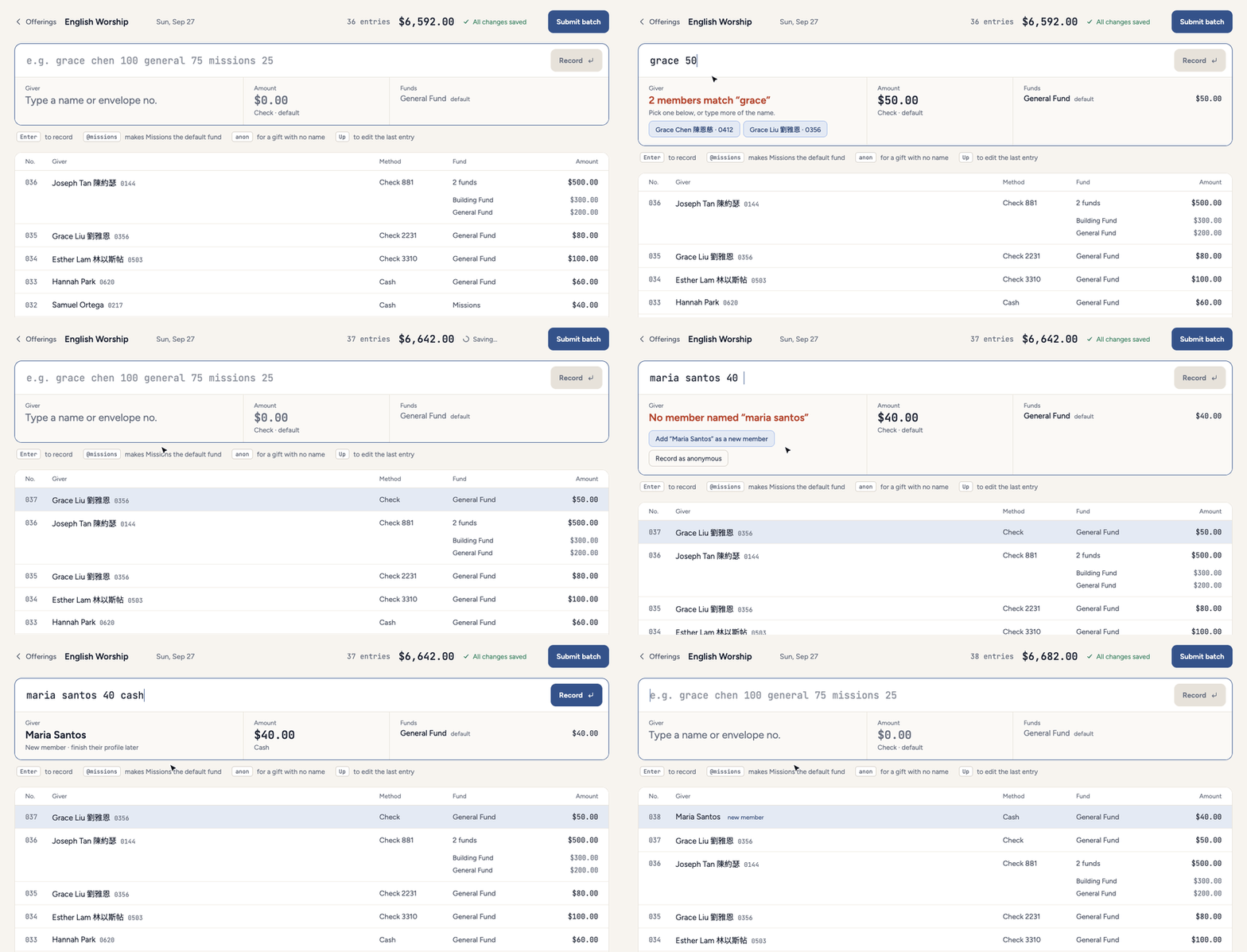
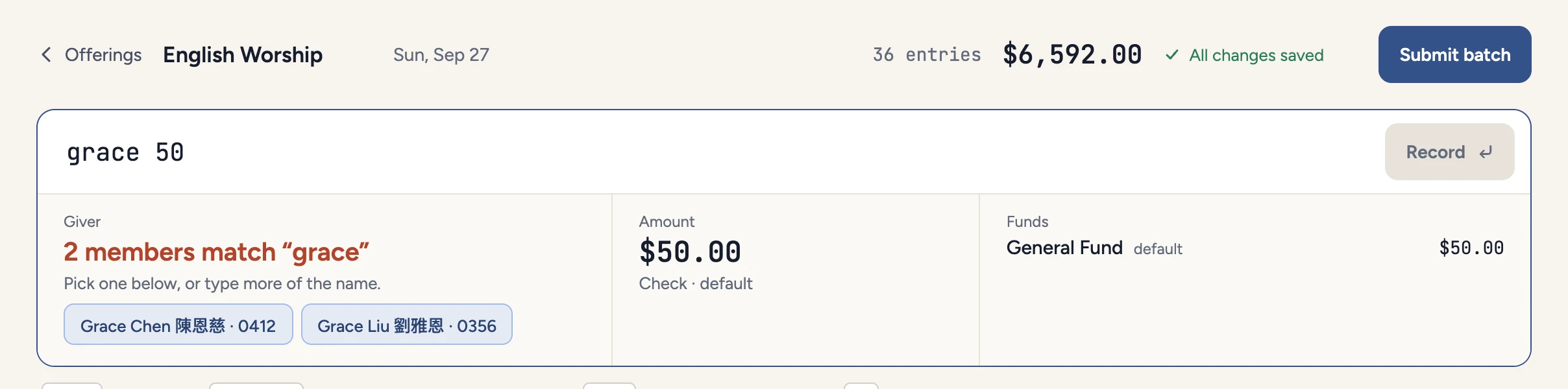
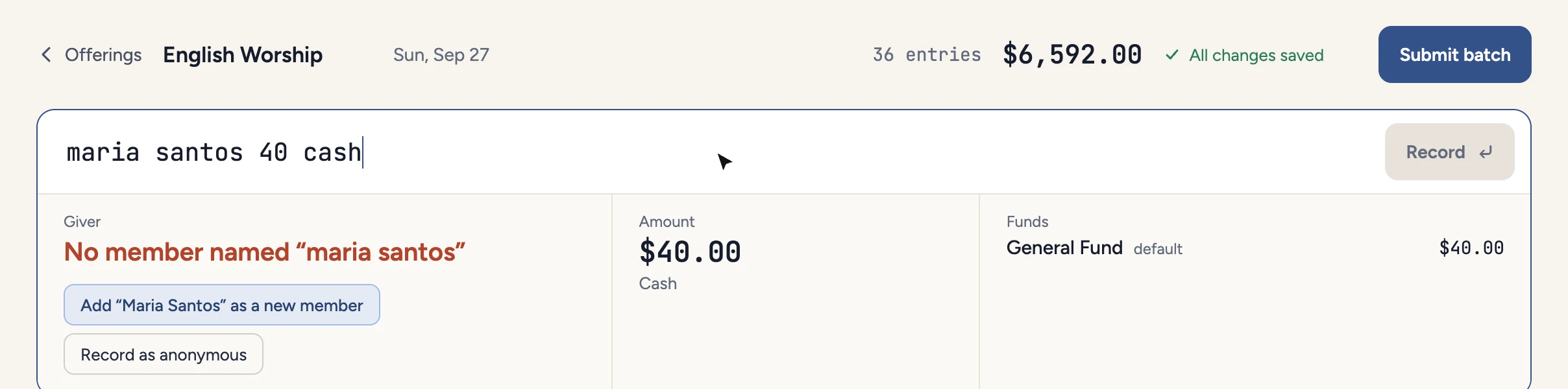
Names show in both English and Chinese.
Fixing an entry in place
Fixing a mistake should be as quick as making it. The Up arrow opens the last entry, and clicking any row opens that one. Edits happen in the list, and Save stays off until the funds add up to the gift.
Submitting the batch
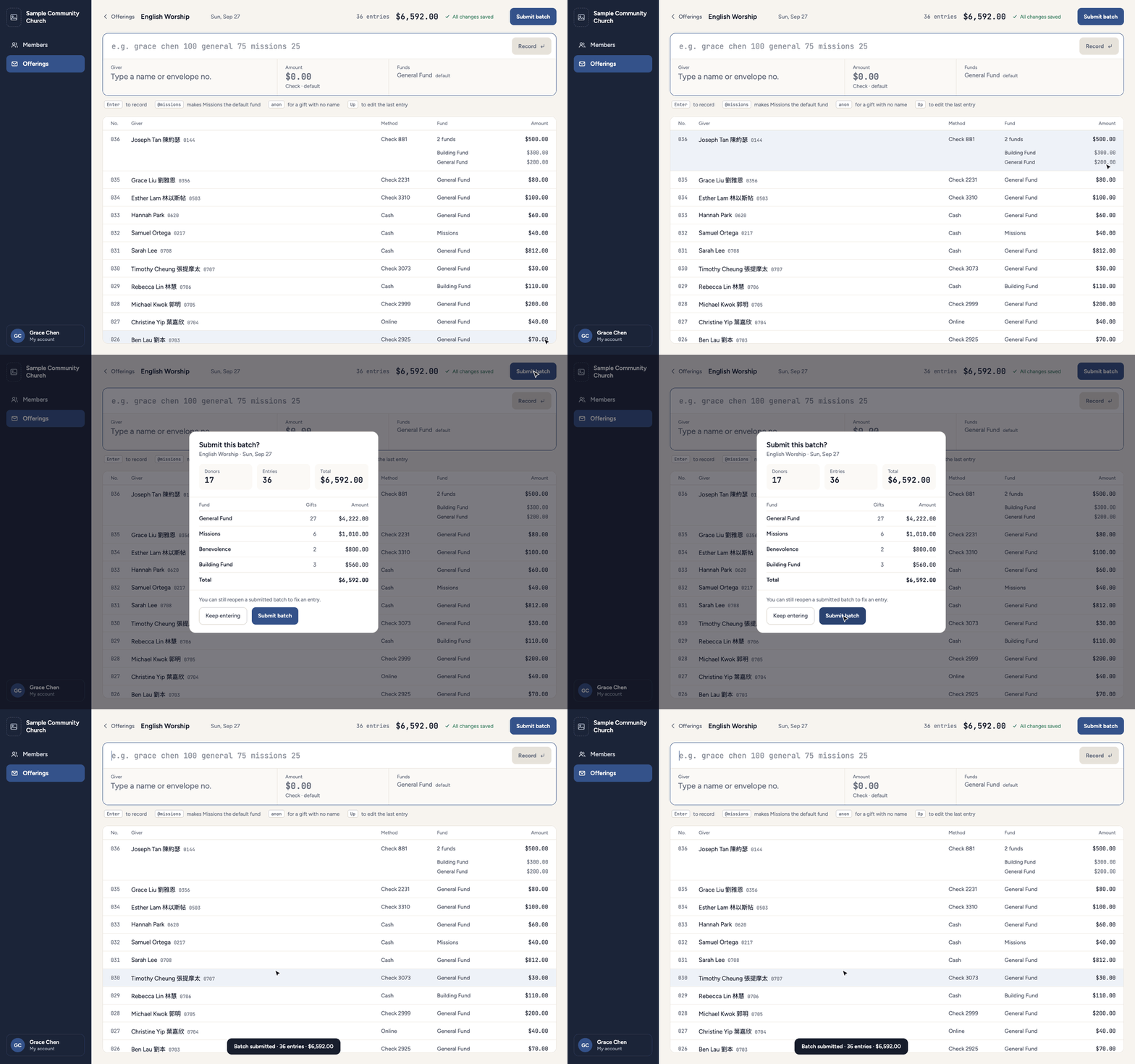
Every entry saves as it's recorded. Submitting is a separate step that shows totals by fund, the number of donors and any anonymous gifts, for the treasurer to check against the cash and checks in hand.
Starting empty, and smaller screens
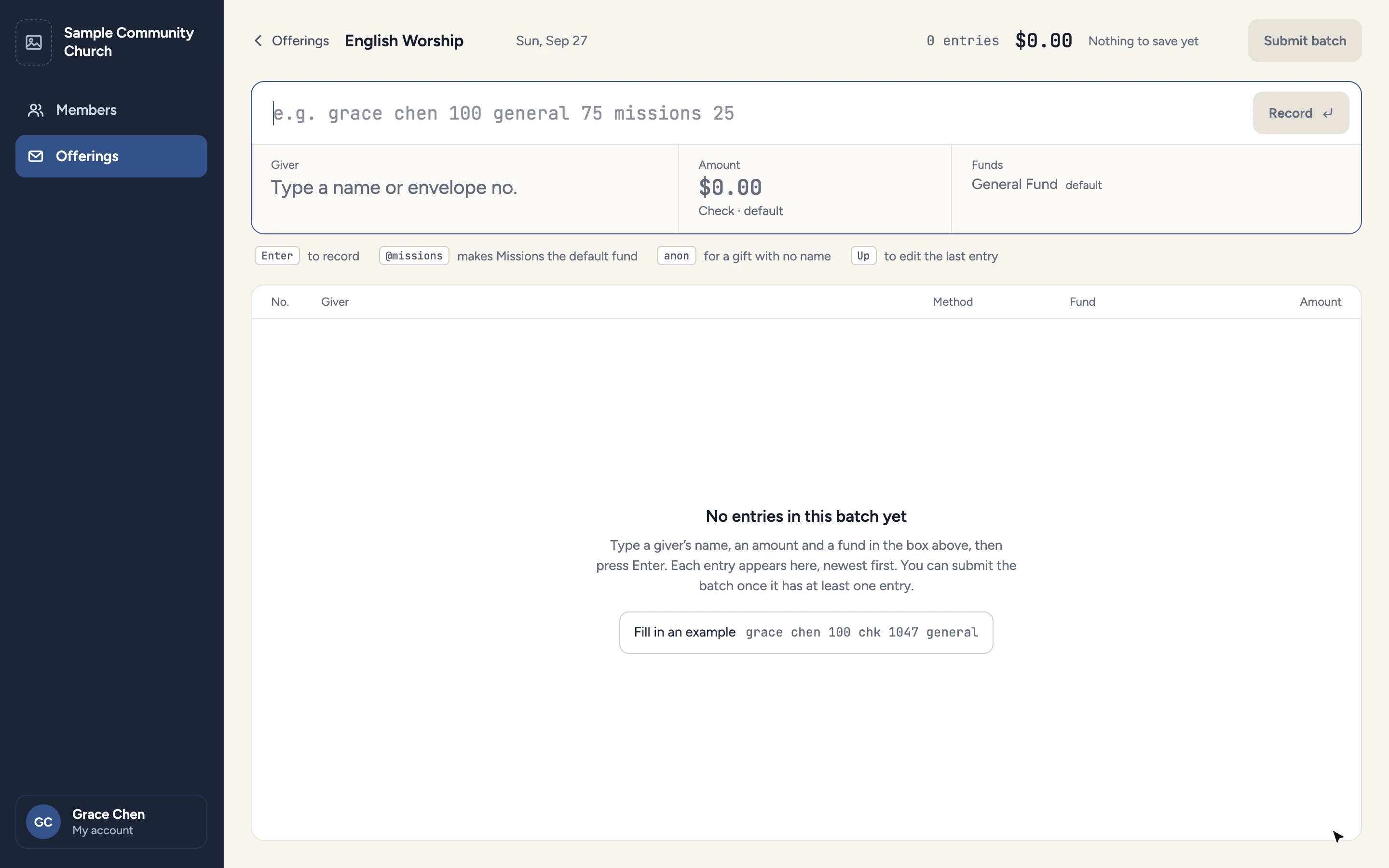
An empty batch explains the one-line format and offers an example to try. The same screen works on a tablet or phone, with the readback stacked under the entry line.
No more typing it twice
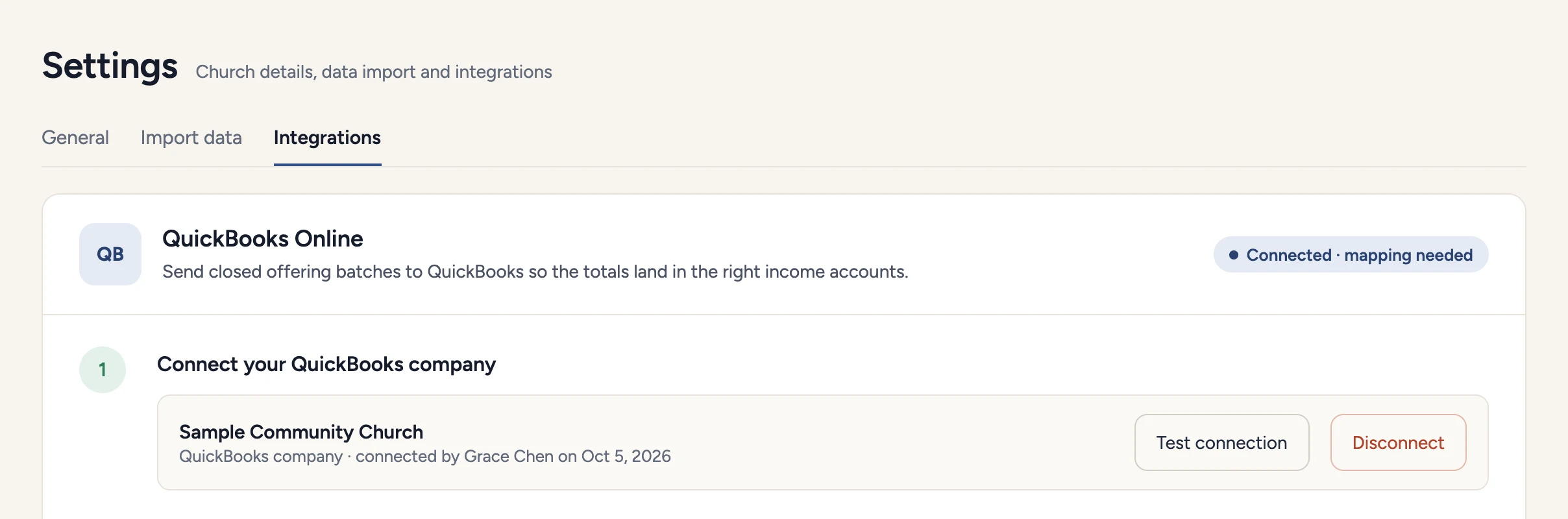
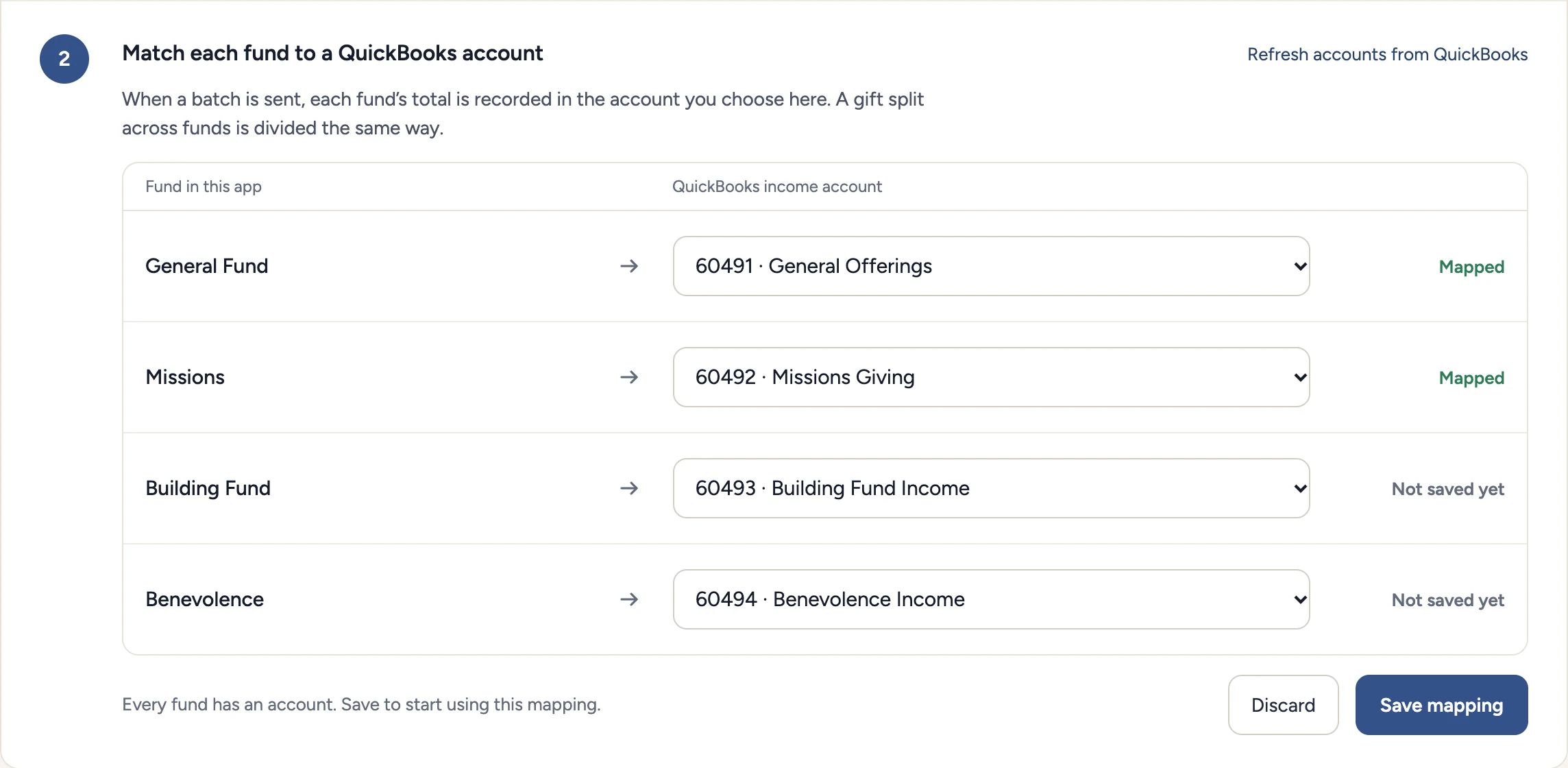
The second problem was the office manager copying the counters' work into QuickBooks by hand every week. The new system connects to QuickBooks, and each fund is mapped to an income account once. After that, a batch is sent in one step and can't be sent twice.
That removes about an hour of re-entry from the office manager's week, and one more place where a number could be copied wrong.
Bringing the cost down
The new system runs for about $15 a month against the old $200, and $10 of that is Azure hosting. It uses small cloud containers and the smallest database tier, and every choice had to work within that.
Because the same system can host more than one church, each with its own data, the cost could fall further if other churches join.
Outcome
- Monthly cost, old system
- $200
- Monthly cost, new system
- ~$15
- Re-entry into QuickBooks removed, per week
- ~1 hour
- Designed for speed. A gift is one typed line, with no dropdowns and no reaching for the mouse.
- Designed against mistakes. Every gift is read back before it is saved, splits must add up, and unclear names stop for a decision instead of guessing.
- Not measured yet. The one-line entry hasn't been used on a real Sunday, so there are no numbers for entry time or errors. Testing starts soon.
Reflection
- The interviews pointed at the switching between mouse and keyboard rather than at any one field. That is what made a typed line the direction worth testing.
- Typing suits counters who are comfortable with a keyboard. For volunteers who aren't, the keypad direction is still worth building as a second mode.
- Next is testing with the same four counters. I want to time a Sunday before and after, and track how often a submitted batch has to be reopened.