Selective Modules Release
Making whole modules assignable cut the work of tailoring ten course materials from 150 clicks to 6.
- Product
- Canvas LMS
- Role
- Senior Product Designer
- Team
- 1 product manager, 6 engineers
- Scope
- Design, research, workshops
- Year
- 2024
Summary
- Problem
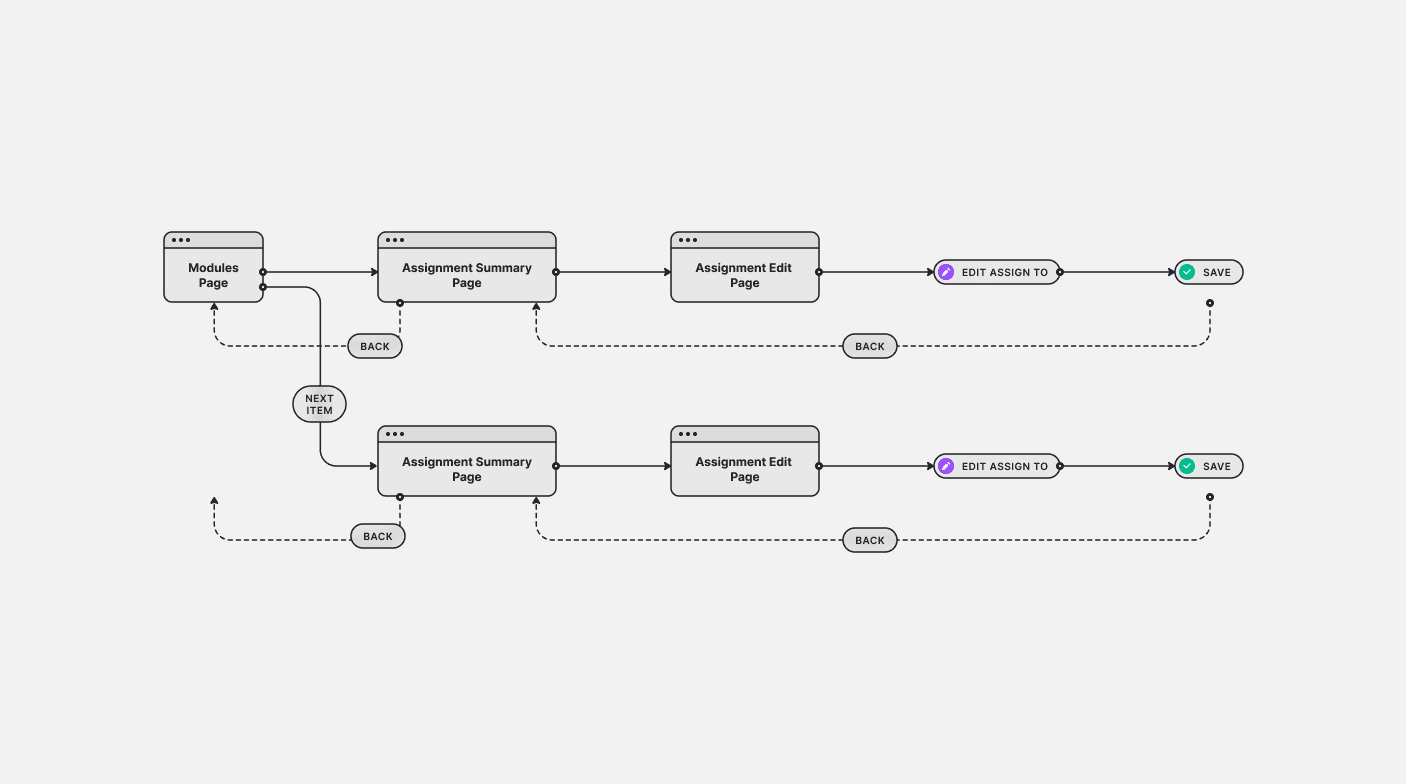
- Assigning one material to one student took about 15 clicks across three pages. Instructors avoided it.
- Solution
- Make the module assignable, so everything inside inherits it.
- Result
- Ten materials: 150 clicks to 6. A count of steps, not usage data.
The problem
Instructors want to give different students different material: harder practice for an advanced student, or content hidden from a group it doesn't suit.
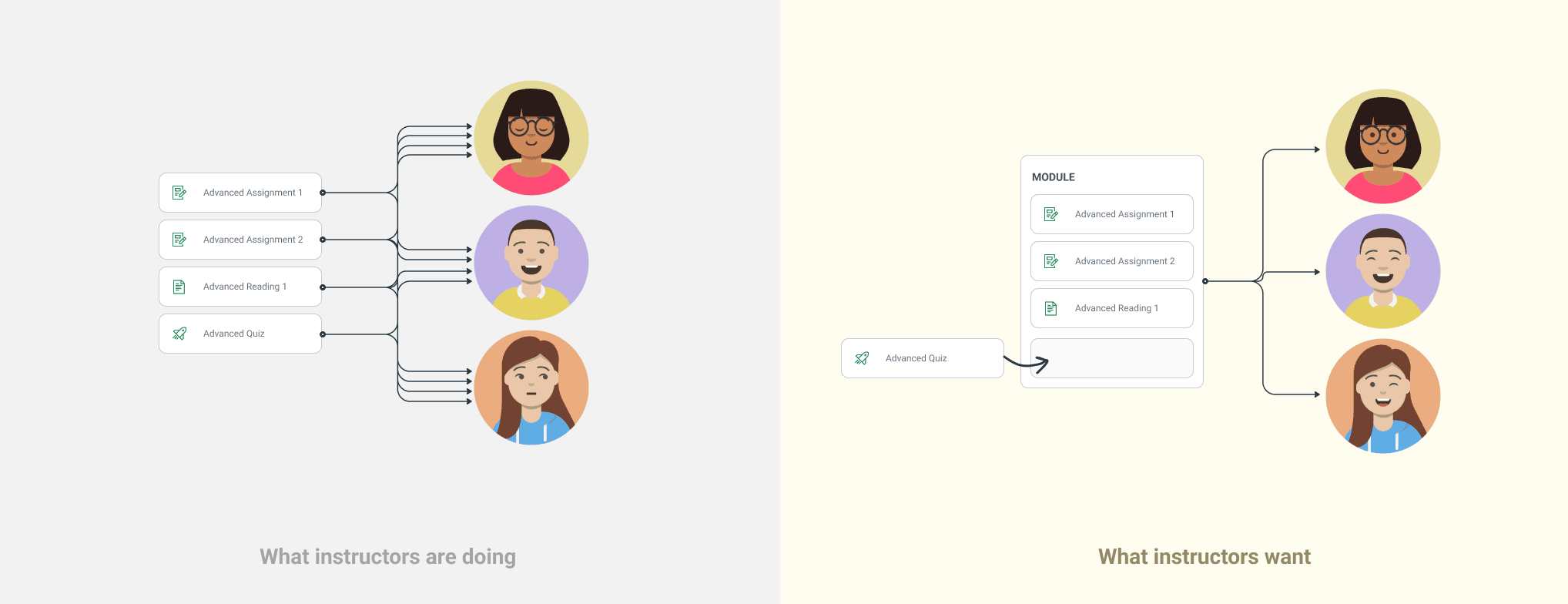
Canvas allowed it one material at a time, at about 15 clicks across three pages each. Ten materials meant 150 clicks.
It would be great if I could give Modules unique gating rules specific to individual students or groups or sections within the course, similar to how I can create unique assignment due dates for different students and sections.
The harder problem was underneath. An item inside an assigned module can still be assigned on its own, so which setting wins had to be decided before the screens.
Two approaches, tested
I started with workshops for the product manager and engineers. I presented the problem statement and facilitated while everyone sketched ideas, so the team agreed on the instructors' problem before we picked a solution. Then I prototyped two ways to assign a material.
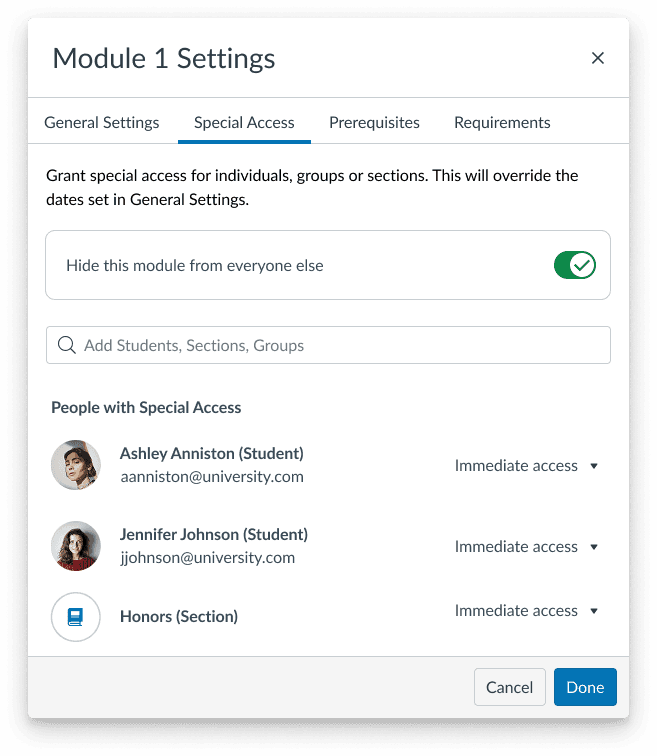
- Permission modal. A new pattern modeled on sharing permissions.
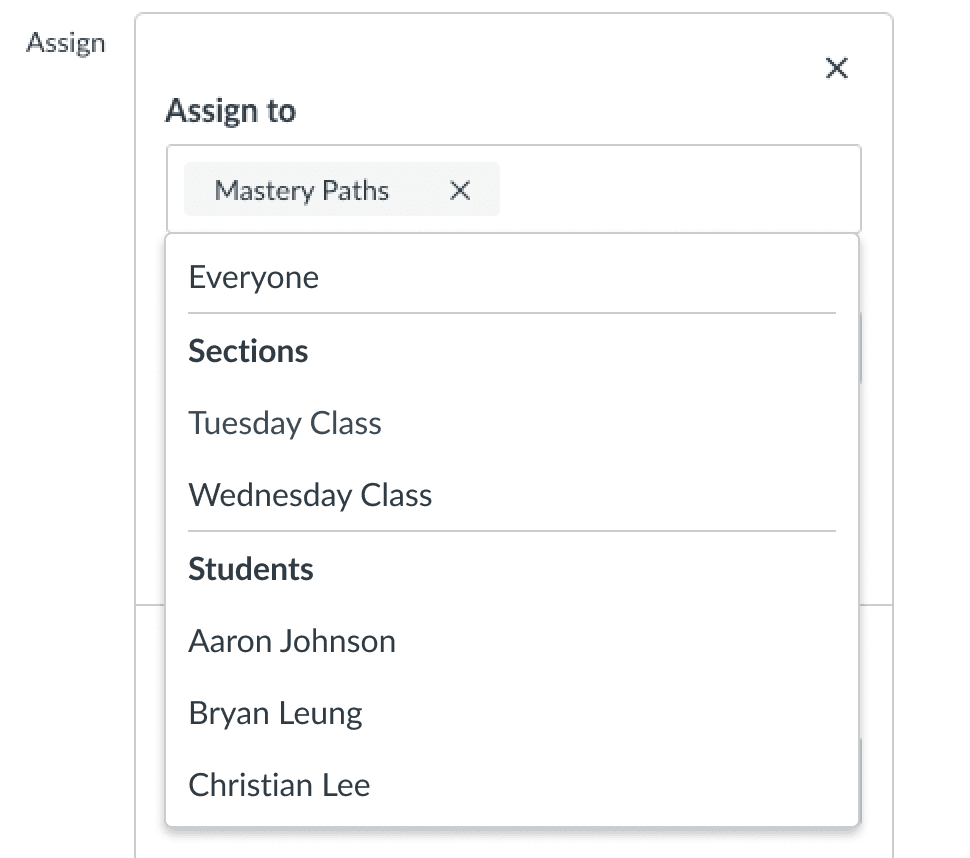
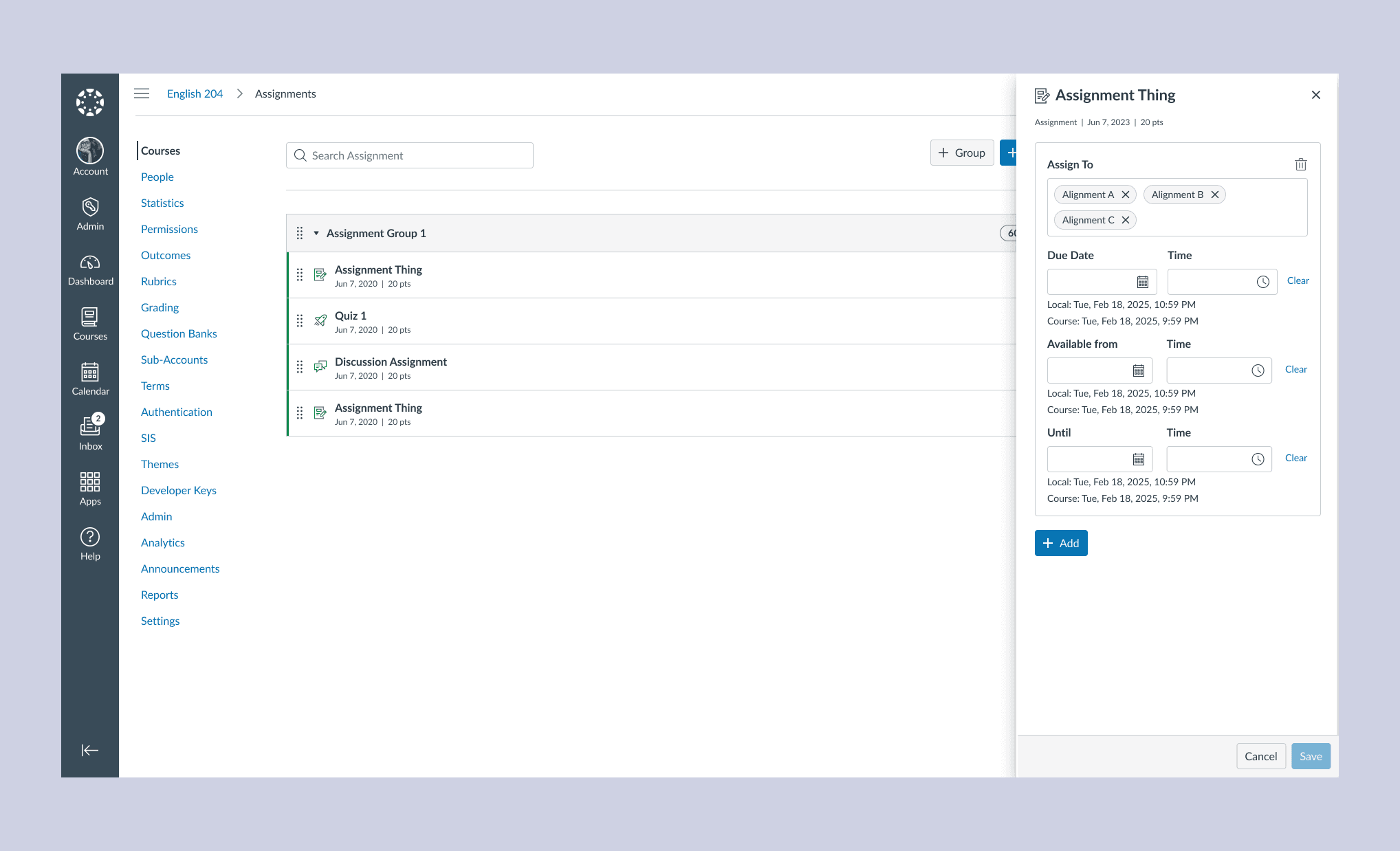
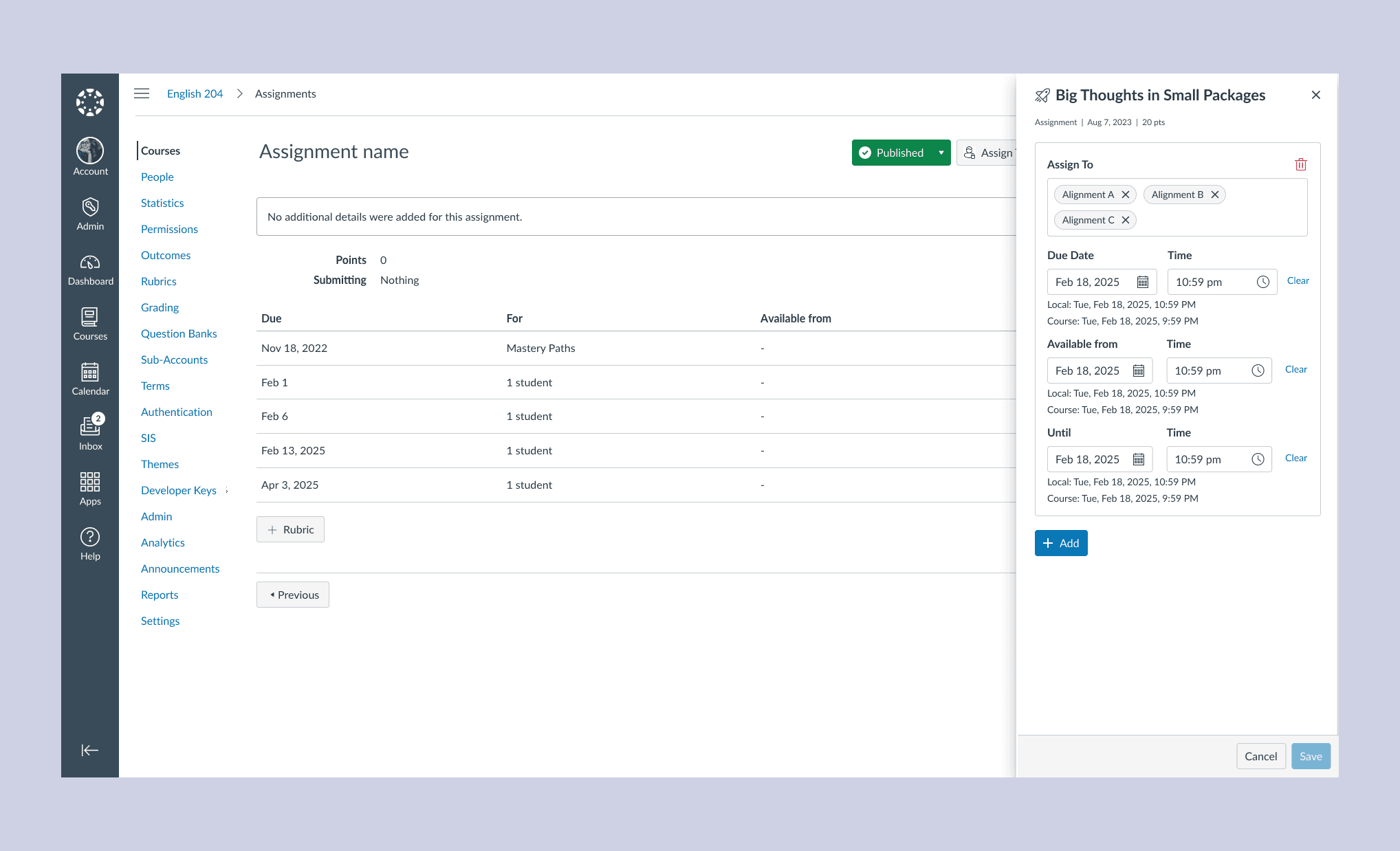
- Assign To tray. The existing component, extended. Another designer pointed out that a different part of Canvas already used it.
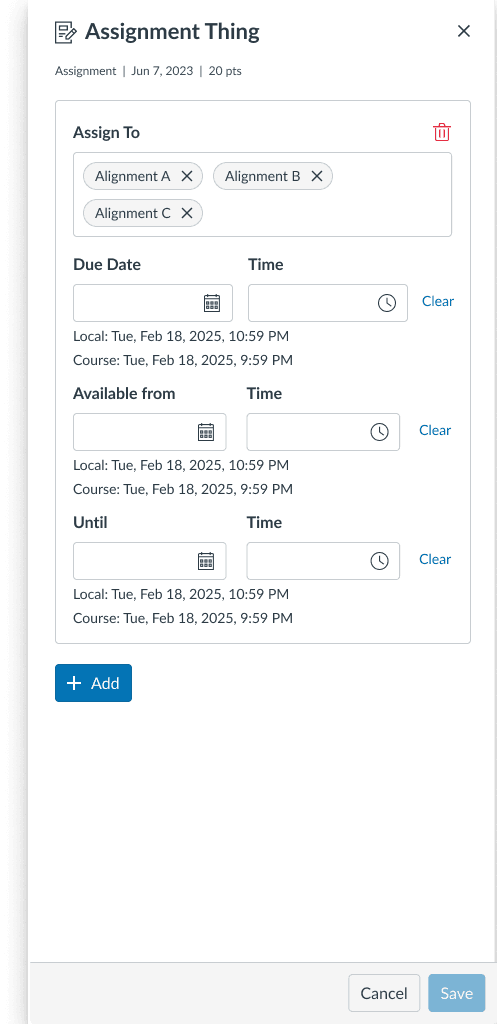
I wrote the test and built it in Maze, and the product manager posted it to the Canvas Community. One link sent each tester to one prototype at random. Both groups got the same task in the same words, assigning an assignment to a student.
| Prototype | Testers | Success | Avg. time | Misclicks |
|---|---|---|---|---|
| Permission modal | 25 | 61.8% | 59.2s | 33.5% |
| Assign To tray | 29 | 68.6% | 41.2s | 47.1% |
How I read the results
- The tray had the higher success rate and the shorter time.
- It also had more misclicks, and with 25 and 29 participants a seven-point gap isn't conclusive.
- The team expected the tray to win. The test didn't contradict that, and didn't prove it.
I had no strong preference going in, so the test was one input among several. I recommended the tray for three reasons.
- It keeps the Modules page in view while you assign. A modal would cover it.
- It is an existing design system pattern, with accessibility already worked out.
- The engineering manager estimated the modal at about one more sprint of work.
Design decisions
Assign the module, not each material
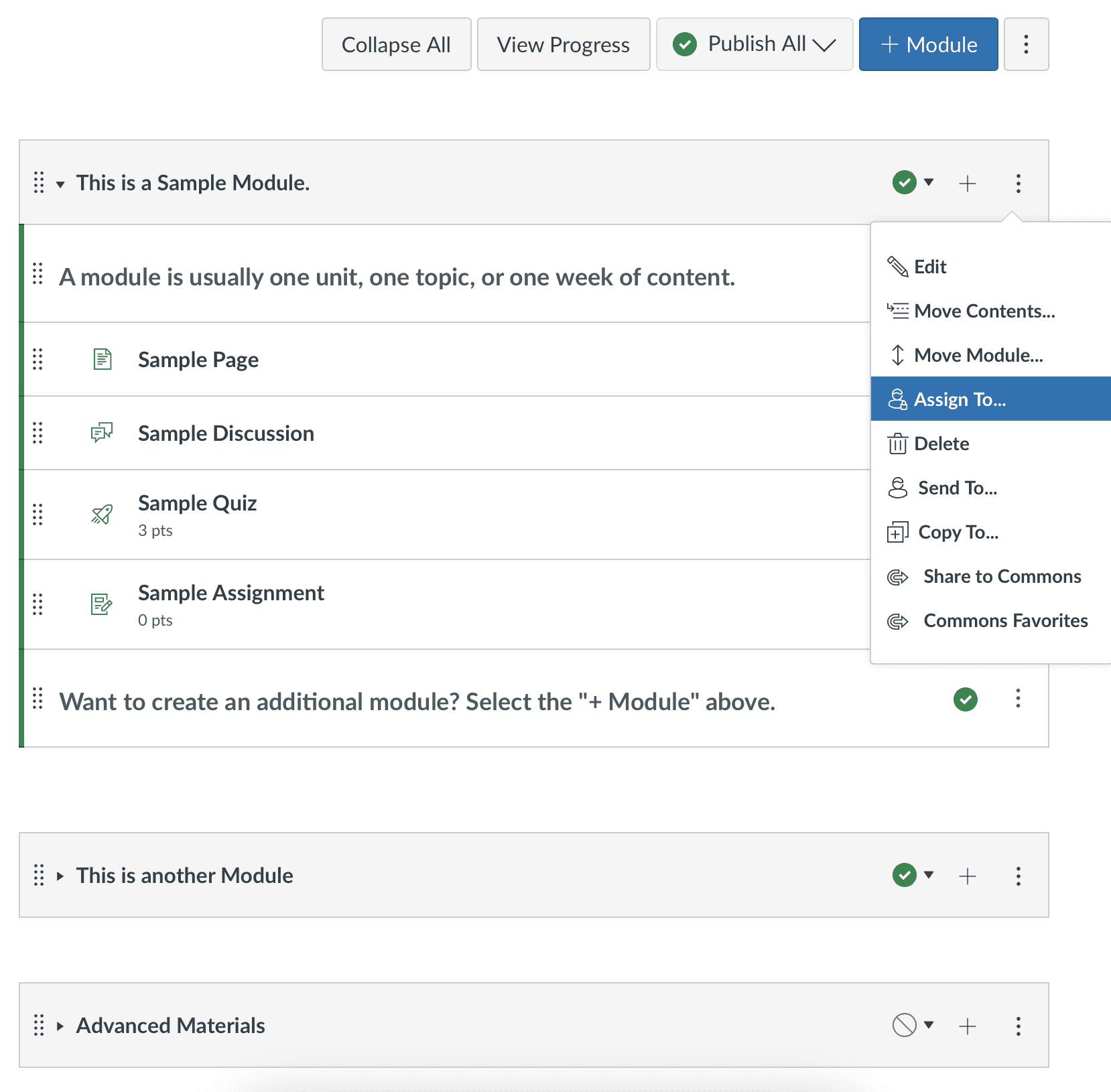
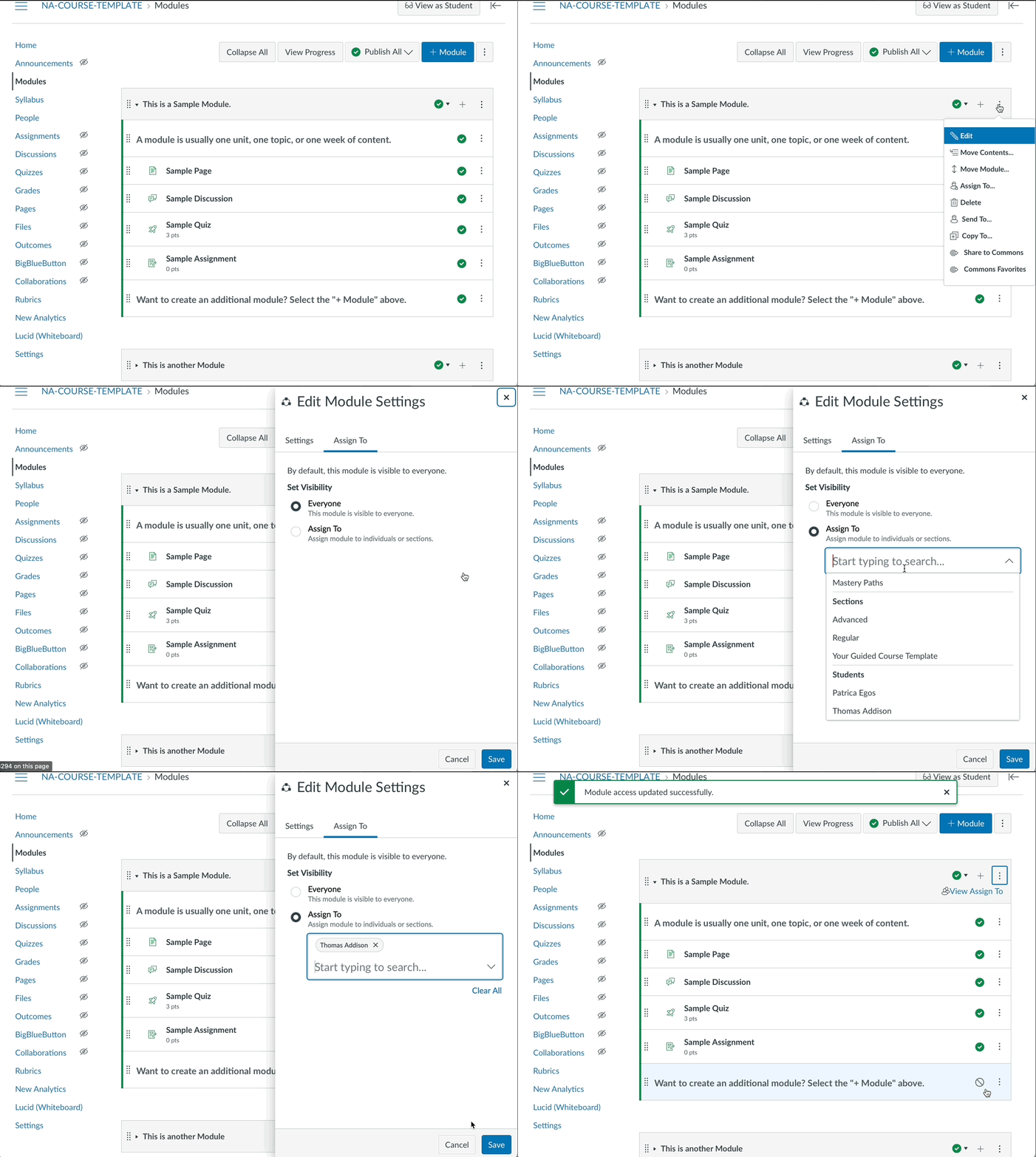
Instructors already group materials into modules. Assign the module, and everything inside inherits it. The effort no longer grows with the number of materials.

Keep dates on the material
Due dates and availability differ by material and by student. Supporting them on a module would have been too complex, and instructors confirmed they didn't need it. Assigning a module is only a question of who.

Shorten the path to Assign To
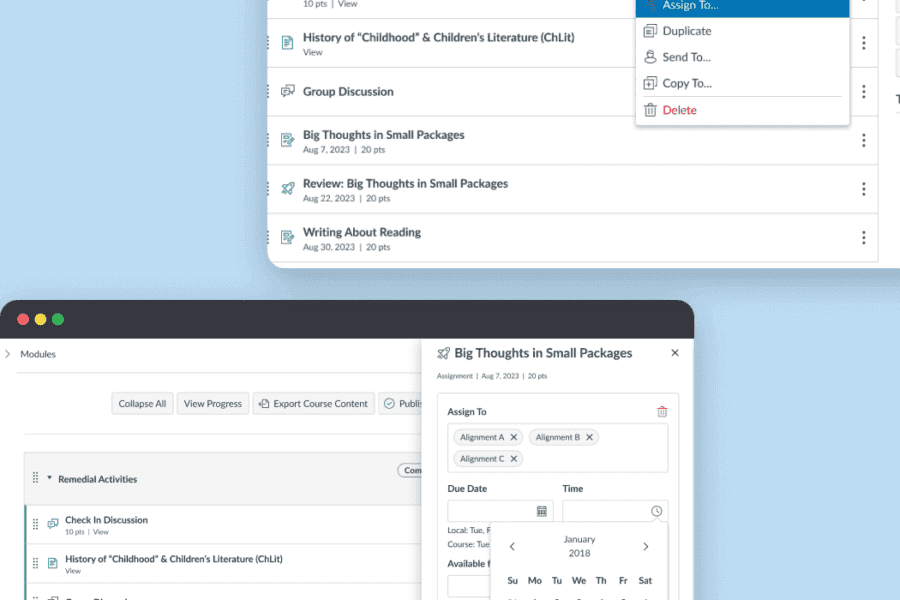
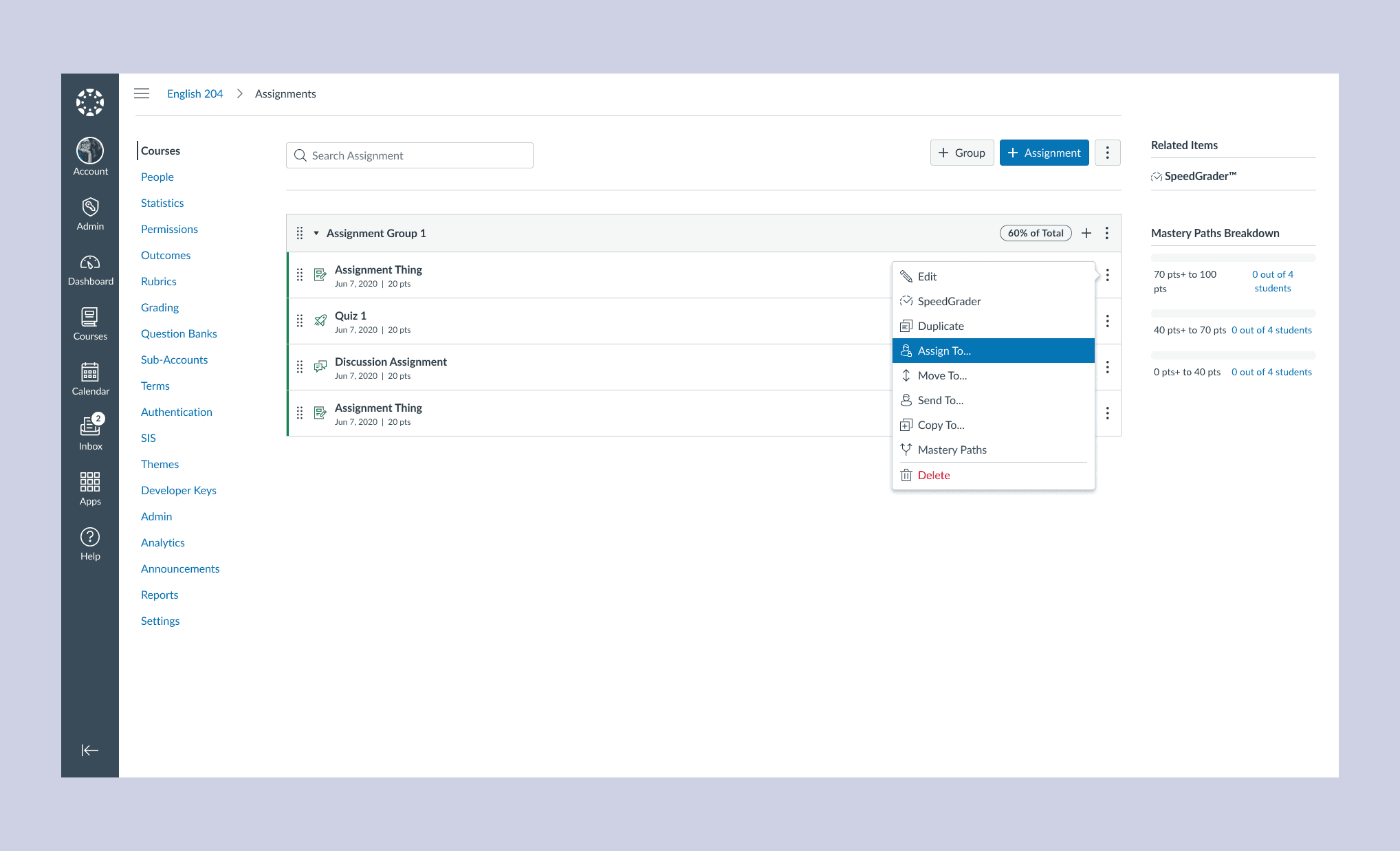
Assign To is now one menu option away on the Modules page and the Summary page, instead of three pages deep.

Rules before screens
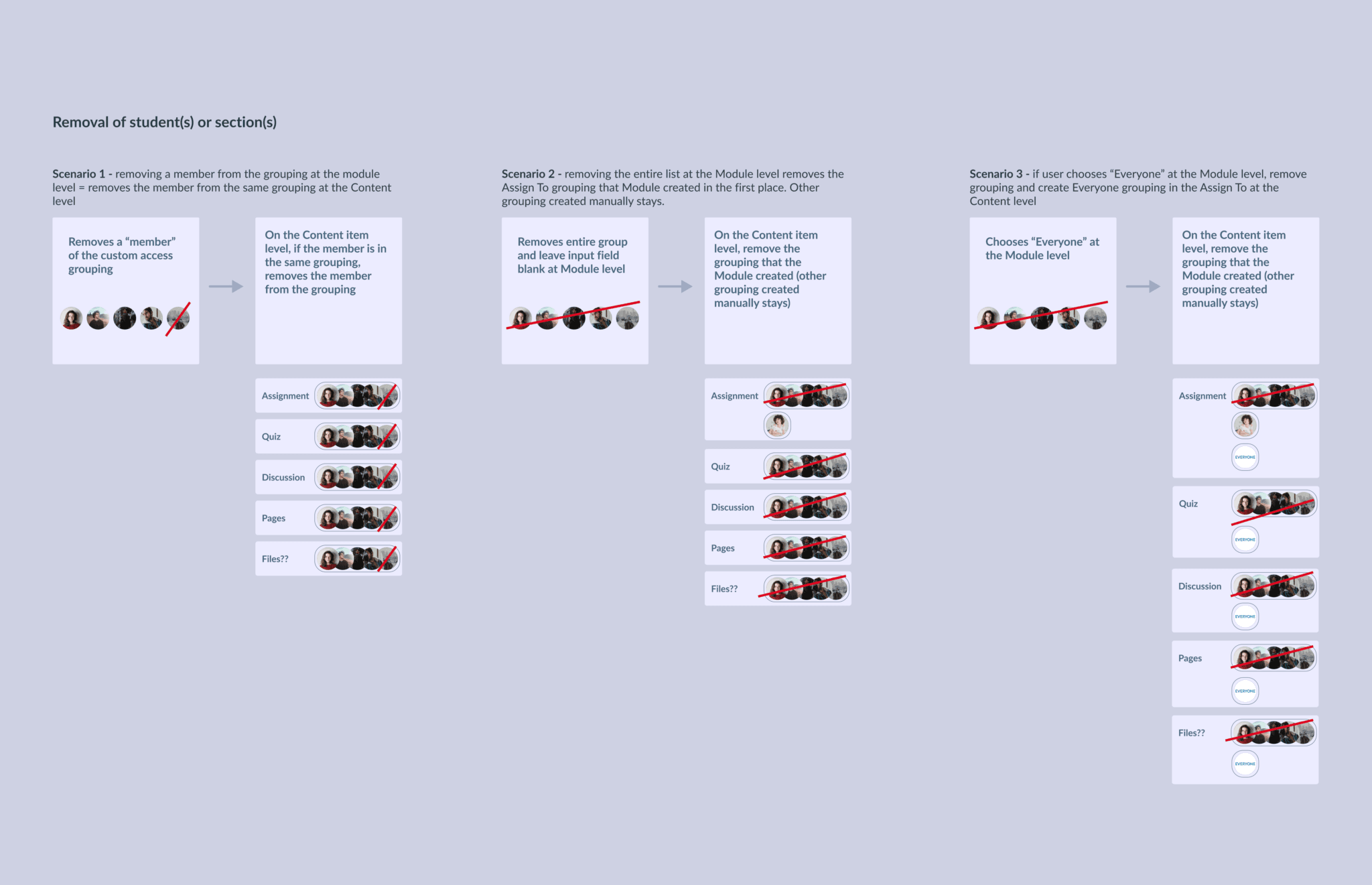
The interface changes are small on purpose, so instructors have nothing new to learn. Most of the work was in the rules, such as whether assigning a section overrides a setting for one student in it. I listed the edge cases with a proposal for each, and worked through them with the product manager and engineers. Where there was no evidence, we made a judgment call.
The main rule is that an item's own assignment wins over its module's. An instructor who changes one item by hand meant it, so that change is respected. I proposed this over the alternative, the module overriding its items, and the product manager and engineering manager agreed.
Outcome
- Clicks to assign 10 materials
- 150 to 6
- Fewer clicks
- 96%
- Before: about 15 clicks per material, ten times.
- After: six clicks to assign one module holding all ten, to the same students.
- Not measured: usage. It shipped after I left Instructure. I would track the share of courses that assign a module to specific students or sections.
From instructors, before the feature was enabled:
I can't wait to see this feature enabled! I have been hoping for a feature like this since I started using Canvas back in 2020.
I feel that this will solve a lot of problems in cross listing some of our courses. Teachers will love being able to assign a different module to sections in their course.
Reflection
- I would set the sample size and the decision bar before the test, so the result could settle the question.
- I didn't look into where the tray's extra misclicks happened, so I can't say whether they meant confusion or exploring. Next time I would review the click maps before deciding.
- Parent and child assignments create many edge cases. I expect we missed a few.
- A Modules page showing who is assigned to what was out of scope. I think it is the next problem to solve.